AvePoint® Fly for a seamless, controlled cloud migration

Flexibility
- SaaS solution hosted on Microsoft Azure, with no installation required
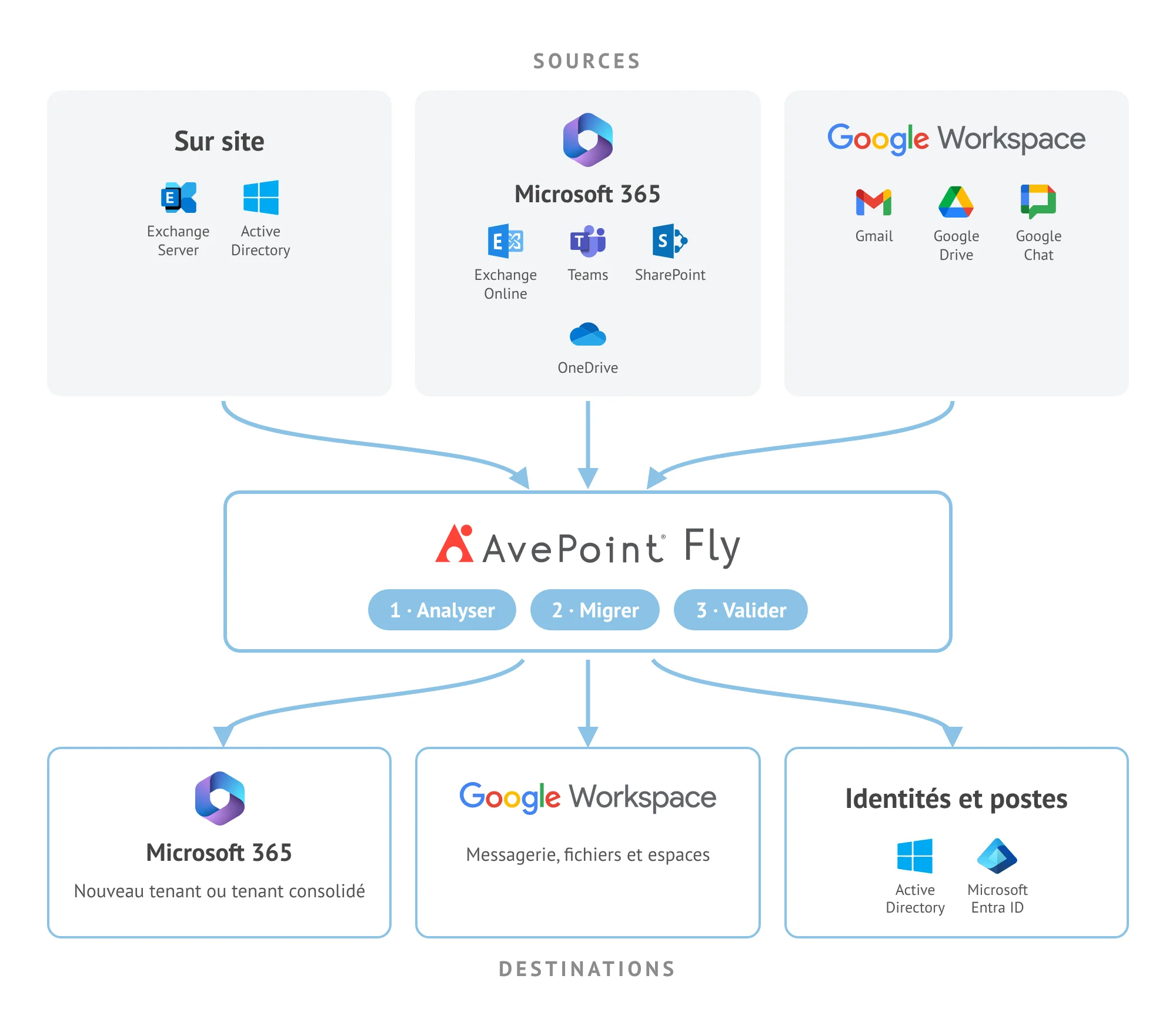
- Tenant-to-tenant Microsoft 365 migrations, Google Workspace to Microsoft 365 migrations, and vice versa
- On-premises environments: Exchange, Active Directory and workstations

Planning
- Pre-migration assessment of your environments: data volumes, object types and last activity dates
- Migration time estimates using the built-in calculator
- Reusable migration policies: filters, user mapping and conflict management

Security
- Data encryption in transit (HTTPS) and at rest (AES-256)
- Full migrations followed by incremental migrations to ensure a smooth cutover
- Detailed reports and migration result validation
AvePoint® Fly helps you plan ahead
Assess your environments before migration
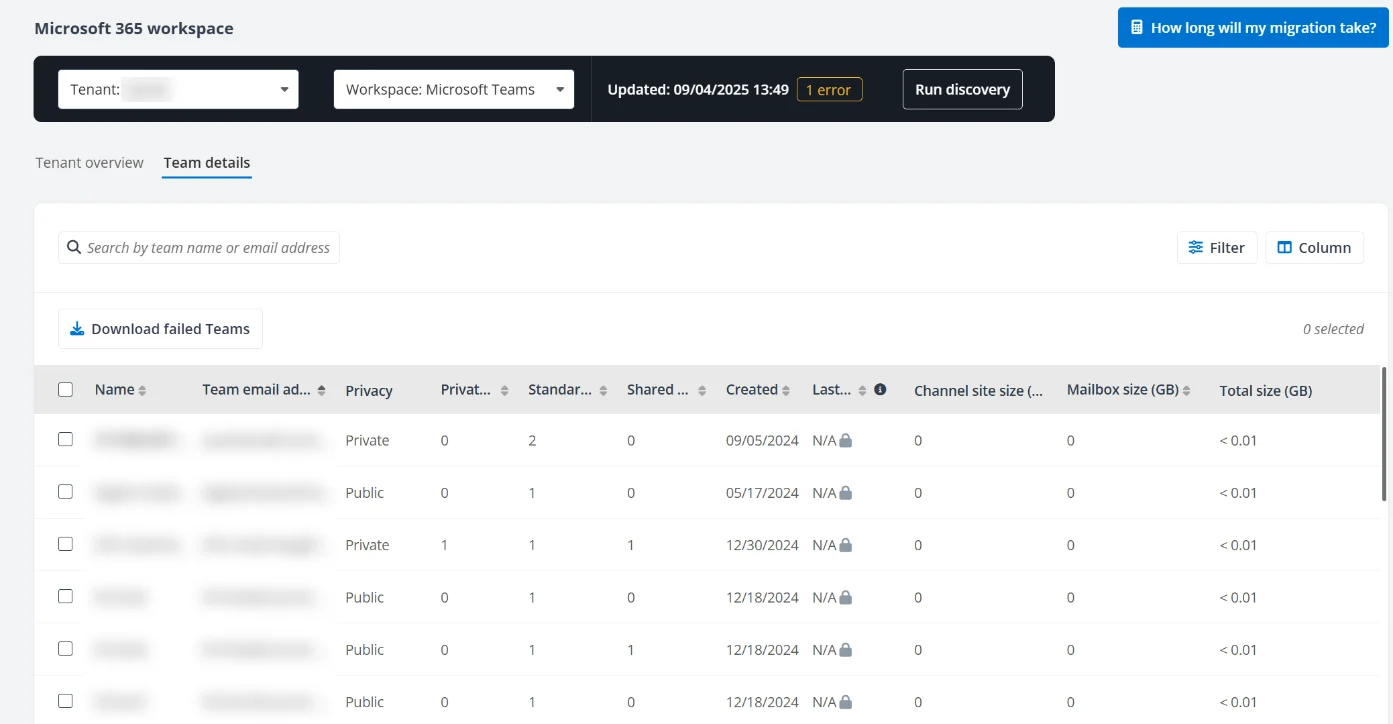
Before any migration begins, AvePoint® Fly analyzes your Microsoft 365 and Google Workspace environments, identifying the number, type and volume of objects, mailboxes, teams, sites and last activity dates.
Based on these findings, the built-in calculator estimates how long your migration will take. This allows you to accurately plan your project and estimate its costs before moving any data.
AvePoint® Fly supports all your environments
Email, collaboration, files and identities
Whether you’re managing a merger, acquisition, divestiture or platform transition, AvePoint® Fly supports all your migration scenarios:
- Email: Exchange Online, on-premises Exchange, public folders and Gmail
- Collaboration: Microsoft Teams (channels and conversations), Microsoft 365 Groups and Google Chat
- Files and sites: SharePoint Online, OneDrive and Google Drive
- Identities and devices: Active Directory, Microsoft Entra ID, workstations and mobile devices
AvePoint® Fly keeps your migration on track
Detailed reporting through to the final cutover
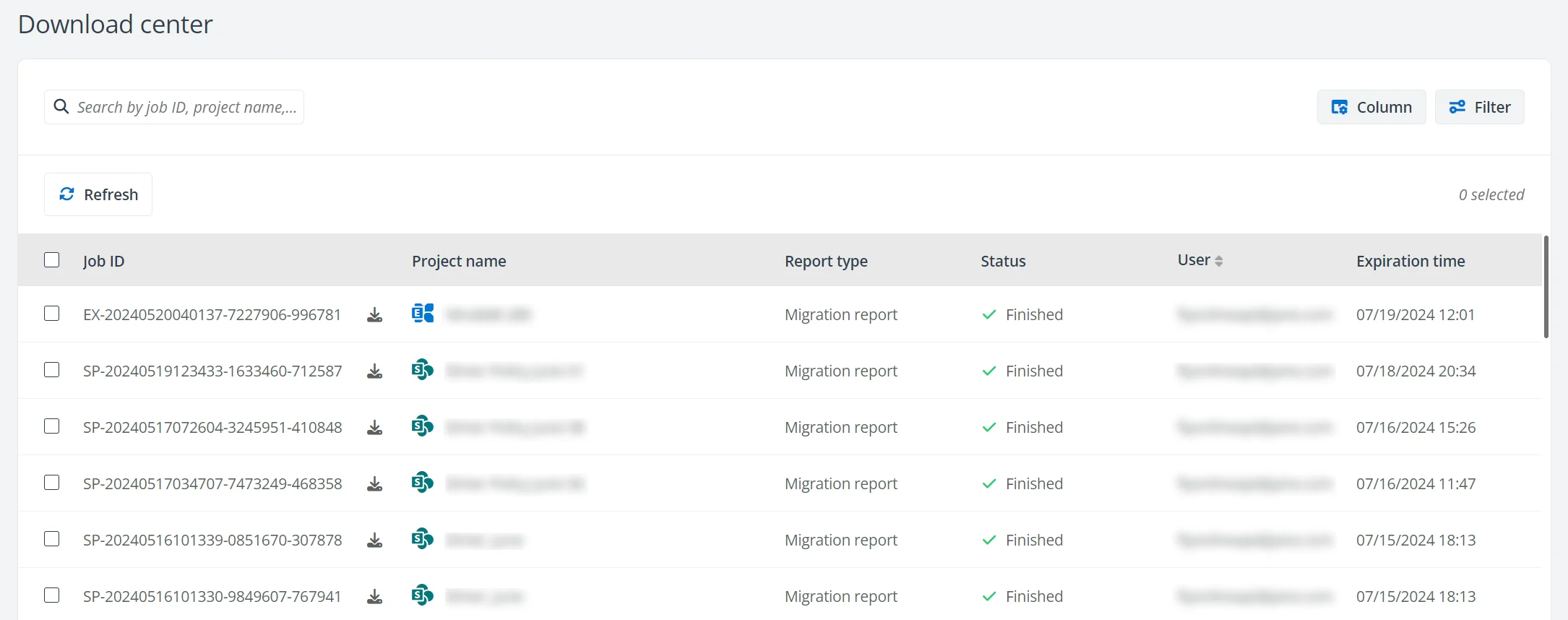
The dashboard tracks the progress of your migration projects. Detailed migration reports provide information on each migrated item and any errors encountered. For SharePoint Online and OneDrive, source-to-destination comparisons allow you to validate the results before the final cutover.
Once the migration is complete, the Aviator module allows you to copy or merge groups, teams, channels, Planner plans, SharePoint data and OneDrive content between tenants, helping you manage organizational changes.